Claude is increasingly useful for creative work, not only for writing or coding. For designers, art directors, marketers, and AI creators, the bigger opportunity is using Claude to turn a loose idea into a clearer visual direction before generation begins. This guide shows a practical workflow for using Claude AI for design, then translating that thinking into structured cinematic prompts with O4Prompts by OrigaStock.
What Is Claude AI for Design?
Claude is an AI assistant from Anthropic. In addition to conversation, Claude supports Artifacts: shareable outputs such as designs, documents, dashboards, and interactive tools. Anthropic also offers Claude Design, a design-focused workflow for creating visual designs, mockups, prototypes, one-pagers, and landing pages through conversation and an editable canvas.
According to Anthropic's current documentation, Claude Design can be used from conversations, the Artifacts tab, Claude Code, and the standalone Claude Design experience. It can also work with an organization's design system so outputs follow existing colors, typography, components, and layout patterns. That makes the tool relevant to creative teams that want to move from an idea to a structured visual concept without treating the first generation as the final answer.
For U.S. search interest, the timing is notable: in the Google Trends data supplied for this article, “claude design” increased 200% during the measured period, while broader queries such as “claude ai,” “what is claude,” and “claude anthropic” also showed meaningful interest. The useful takeaway for creators is not simply that Claude is popular; it is that more people are specifically looking at Claude as part of a design workflow.
Why AI Design Prompts Often Produce Generic Results
A prompt can be grammatically detailed and still be visually weak. The problem is usually not a lack of adjectives. It is a lack of decisions. “Make a cinematic image of a man in a city” gives a model a subject and a vague style, but leaves composition, camera position, light source, palette, environment, visual hierarchy, and emotional intent largely undefined.
Strong creative direction reduces that ambiguity. Before writing a long prompt, decide what the image is trying to communicate. Is the subject isolated or powerful? Is the frame observational or confrontational? Should the lighting feel natural, theatrical, commercial, documentary, or surreal? Which detail should the viewer notice first?
Think in visual systems, not adjective stacks
A useful design prompt usually has a small number of coordinated layers:
- Goal: what the visual needs to communicate.
- Subject: who or what the viewer is looking at.
- Composition: framing, balance, negative space, depth, and hierarchy.
- Camera: angle, distance, lens feeling, and perspective.
- Lighting: source, direction, contrast, softness, and time of day.
- Color: palette, temperature, saturation, and tonal relationship.
- Atmosphere: weather, texture, motion, environment, and emotional tone.
- Constraints: details that must stay consistent or must not appear.
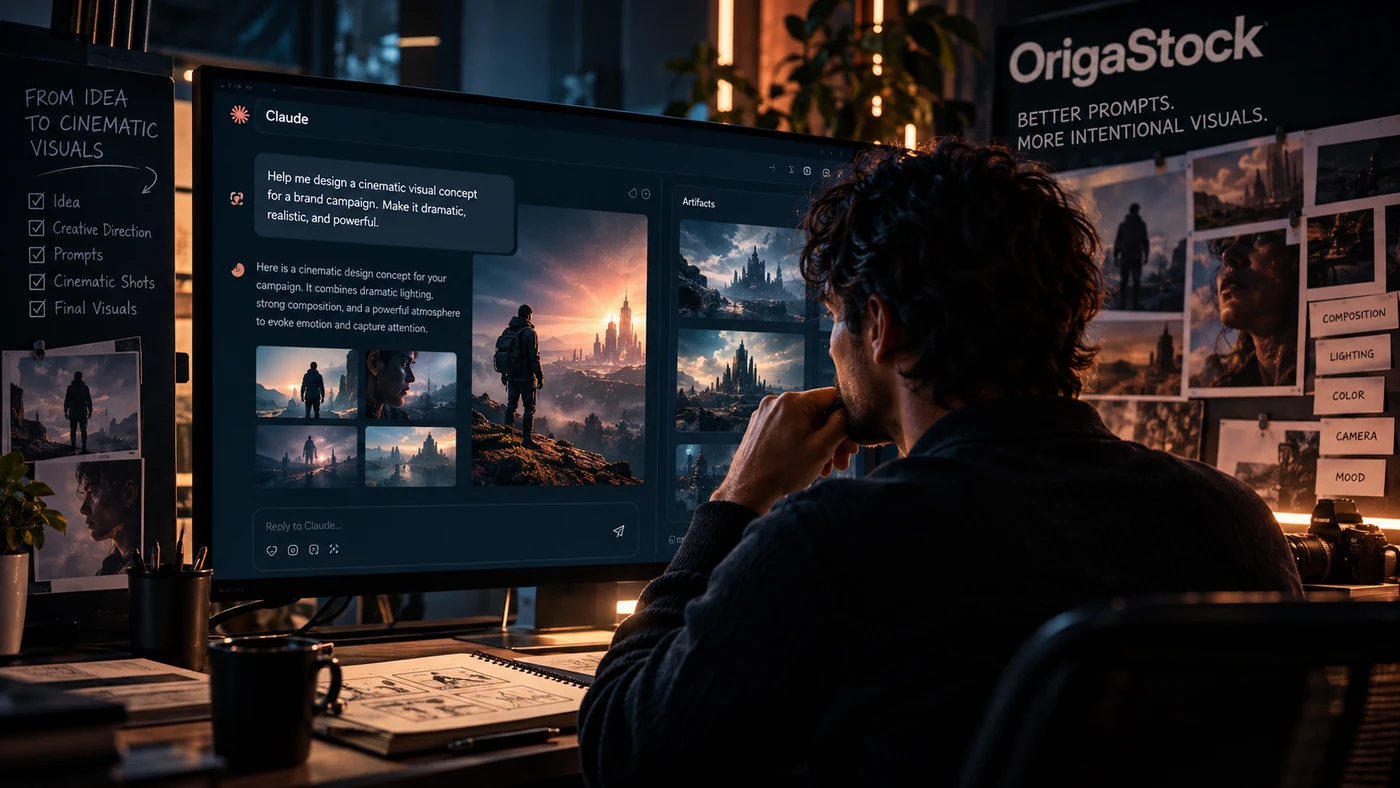
How to Write Better Claude Design Prompts
Anthropic recommends being specific about what you are building, who it is for, the layout, the content, and what matters most. That advice translates well to visual direction. Instead of asking for “something premium,” define what premium means in the context of the project.
1. Start with the goal and audience
Give Claude a job to solve. For example: “Develop a cinematic key visual for a U.S. technology campaign aimed at creative professionals. The image should communicate control, curiosity, and precision without looking like generic science fiction.” That immediately gives the conversation a purpose and an audience.
2. Add concrete visual direction
Describe the intended hierarchy and mood. You might ask for a single subject placed off-center, controlled negative space for campaign copy, practical lighting from one motivated source, restrained teal-and-amber color separation, and realistic environmental texture. These are decisions a designer can review rather than vague stylistic labels.
3. Ask Claude for alternatives, not just one answer
Claude Design's own guidance encourages iteration and variations. Ask for two or three approaches that solve the same brief differently: one intimate close-up, one environmental wide shot, and one graphic composition with stronger negative space. Comparing directions is often more useful than endlessly polishing the first idea.
4. Refine with precise feedback
“Make it better” gives very little information. “Reduce background complexity, move the subject into the right third, keep the key light warm, and make the shadows cooler and softer” gives the model a concrete revision path. Specific feedback is especially valuable when you want visual consistency across a campaign.
A Practical Claude + OrigaStock Workflow
Claude and OrigaStock do different jobs, which is exactly why they can fit naturally in the same workflow. Claude can help explore the brief, challenge assumptions, organize creative direction, and create variations. O4Prompts can then help you express the visual decisions as structured prompt components for image or video generation. There is no direct integration implied here; this is a creator-led workflow using both tools deliberately.
A simple sequence looks like this:
- Write the raw idea in Claude.
- Ask Claude to identify the subject, audience, mood, visual hierarchy, and possible creative directions.
- Choose one direction and refine the composition, lighting, palette, and camera language.
- Open O4Prompts Cinematic Shots to develop a more structured cinematic image prompt.
- Use O4Prompts Composition Lab when the framing or spatial relationship needs more control.
- Adapt the final prompt to the image or video model you plan to use, then iterate from the generated result.
This separation is useful because ideation and prompt construction are related but not identical. A conversational assistant can help you decide what the visual should do. A focused prompt-building workflow helps translate those decisions into repeatable visual instructions.
Example: Turn a Simple Idea Into a Cinematic Prompt
Start with a deliberately basic idea:
“A mysterious traveler waiting for a train at night.”
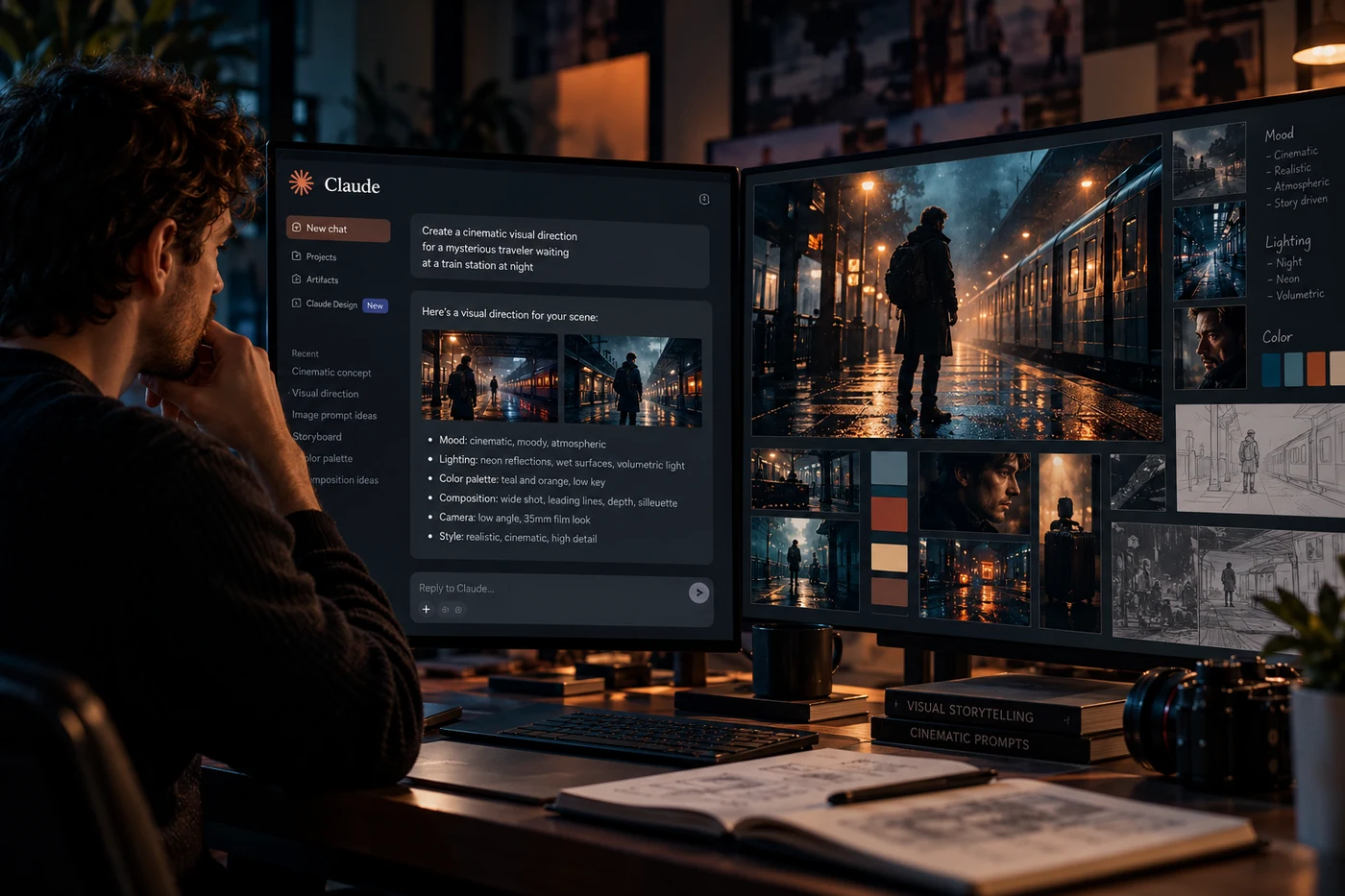
Instead of immediately making the sentence longer, ask Claude to develop the creative direction. A useful response might define the traveler as a solitary silhouette, place the camera at a low three-quarter angle, use a wide environmental frame, motivate the light from old station lamps, introduce wet pavement for reflections, keep the palette cool with selective warm highlights, and leave negative space in the upper-left portion of the frame.
Now the concept has visual logic. A structured generation prompt can become:
Wide cinematic night scene of a solitary traveler waiting beside an almost empty train platform, low three-quarter camera angle, 35mm cinematic perspective, subject positioned in the right third with generous negative space, wet reflective pavement, cool blue-black ambient tones contrasted by warm tungsten station lamps, subtle mist, realistic fabric and skin texture, deep environmental perspective, restrained highlights, atmospheric practical lighting, natural filmic contrast, grounded contemporary realism, no text, no logos.
The improvement comes from coordinated choices, not from adding random detail. If the result is too dramatic, reduce contrast. If the traveler feels lost in the frame, tighten the camera distance. If the image looks synthetic, simplify the environment and ask for more natural materials and practical light behavior.
Claude Design Prompts for Different Creative Tasks
The structure can change depending on the deliverable. The following prompt starters are intentionally short so you can adapt them rather than copy them blindly.
Cinematic image direction
“Act as a creative director. Develop three cinematic visual directions for [subject]. For each direction, define composition, camera angle, lighting, color palette, environment, emotional tone, and the detail that should receive the viewer's attention first.”
Advertising key visual
“Create a visual direction for a U.S. advertising key visual for [product/idea]. Keep the concept simple enough to understand in one second. Give me the hero subject, background treatment, negative-space strategy, lighting approach, palette, and two alternative compositions.”
Campaign consistency
“Turn this approved key visual into a reusable visual system. Define the camera rules, lighting rules, color rules, subject placement, background complexity, texture, and constraints that should remain consistent across six campaign images.”
Design critique
“Review this visual direction for hierarchy, clarity, composition, contrast, and brand consistency. Identify what feels generic and suggest specific changes without changing the core concept.”
Claude Design vs. Dedicated Visual Prompt Tools
Claude Design is broader than a prompt library. Anthropic positions it as a way to create and refine visual work through conversation, on-canvas editing, and design systems. That makes it useful for exploring a concept, shaping layouts, creating prototypes, and keeping work aligned with a brand system.
O4Prompts by OrigaStock is more focused on the language of image and video prompting. Its tools break creative direction into areas such as cinematic shots, composition, color, typography, camera movement, and video prompt building. For creators, the distinction can be practical: use Claude when you need to think through the problem and compare directions; use focused prompt tools when you need to translate a chosen direction into more explicit generation language.
Neither approach removes the need for judgment. AI can produce options quickly, but the creator still decides what communicates the idea, what belongs to the brand, and what should be removed.
Build More Intentional AI Visuals
The most useful shift is to stop treating prompting as a contest to write the longest sentence. Better visual prompting is closer to art direction: make a decision, explain why it matters, and make the next decision support it. Claude can help interrogate the brief and organize those choices. O4Prompts can help turn them into a structured visual prompt that is easier to reuse and refine.
If you want to test the workflow, start with a one-sentence idea in Claude, ask for two or three visual directions, then build the selected approach with OrigaStock's O4Prompts tools. Keep the first generation as evidence, not as the finish line. Review what worked, identify one variable to change, and iterate deliberately.
Frequently Asked Questions
What is Claude AI?
Claude is Anthropic's AI assistant. It supports conversational work as well as Artifacts, which can include designs, documents, dashboards, and interactive tools.
What is Claude Design?
Claude Design is a design-focused experience from Anthropic for creating and refining visual designs, mockups, prototypes, one-pagers, and related work through conversation and an editable canvas.
Can Claude help write AI image prompts?
Yes. Claude can help organize a visual brief, generate creative directions, and turn choices about composition, lighting, color, camera, and mood into prompt language. The final wording may still need adjustment for the specific image model you use.
How do I write a good Claude design prompt?
Start with the goal, audience, layout or composition, required content, visual direction, and constraints. Give specific feedback during revisions instead of relying on broad phrases such as “make it more premium.”
Can I use Claude with O4Prompts?
Yes, as a manual creative workflow. You can use Claude to explore and refine a concept, then use O4Prompts by OrigaStock to structure cinematic image or video prompt elements. This article does not imply a direct software integration between the services.
What should a cinematic AI prompt include?
A useful cinematic prompt usually defines the subject, action, composition, camera perspective, lighting, palette, environment, atmosphere, material realism, and important constraints. Include only details that support the intended visual.