VISUAL PALETTES FOR AI CREATORS
COLOR LAB
Explore cinematic color palettes and color prompts for AI images and video with Color Lab by O4Prompts on OrigaStock. Preview each look, understand the mood, and copy a ready-to-use palette direction.
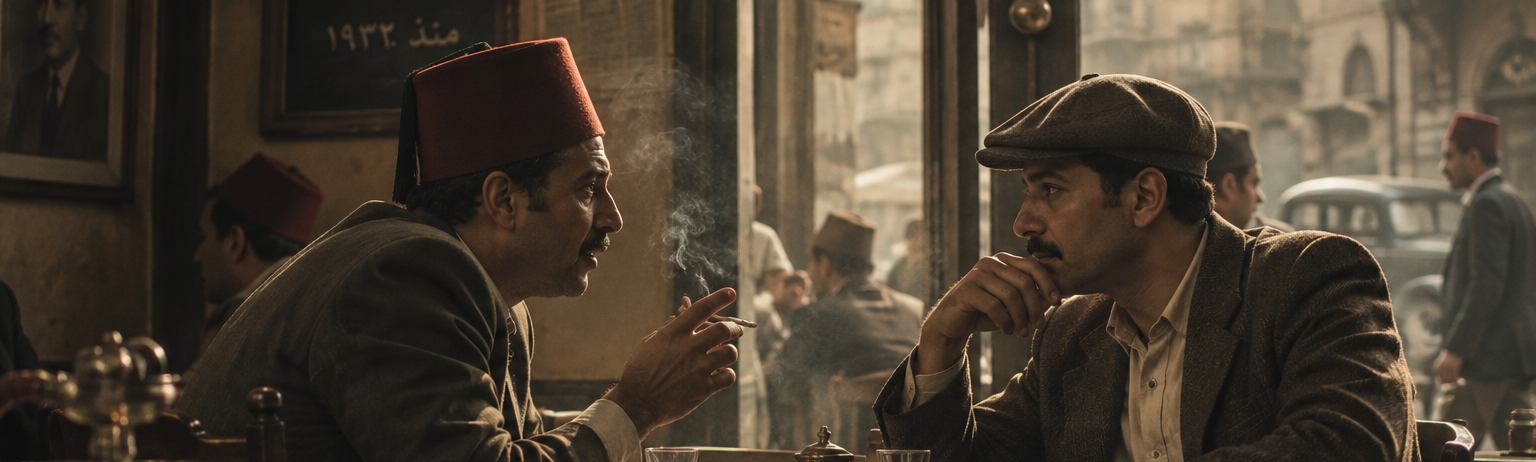
Explore cinematic color palettes and color prompts for AI images and video with Color Lab by O4Prompts on OrigaStock. Preview each look, understand the mood, and copy a ready-to-use palette direction.
A cinematic color palette is a controlled group of colors used to shape the mood and visual identity of a scene. Color Lab by O4Prompts on OrigaStock lets you explore palette directions and copy them as practical prompts for AI image and video workflows.
A color palette prompt describes the dominant, supporting and accent colors you want an AI-generated visual to use. It can also describe saturation, contrast, temperature and mood so the generator receives more specific color direction.
Start with the emotional tone of the scene, then define the key hues, contrast, saturation and color temperature. In O4Prompts Color Lab, you can preview a cinematic look and copy a ready-to-use color prompt instead of building that direction from scratch.
Cinematic color grading prompts describe the final color character of an image or shot, such as cool shadows, warm highlights, muted saturation or a high-contrast palette. They help communicate a grading-inspired look to AI image and video generators.
Color Lab is designed as a visual library of reusable color directions. Browse the looks, choose the palette that fits your idea, and copy its prompt into your AI workflow. O4Prompts keeps the color direction structured while leaving you free to adapt the subject and scene.
Color can change how a scene feels before the viewer focuses on individual details. Warm palettes can feel intimate or energetic, cool palettes can feel restrained or atmospheric, while muted or high-contrast schemes can create very different cinematic moods.
A color palette defines the colors that shape the visual direction, while color grading is the broader finishing treatment applied to the image or footage. A prompt can describe both: the palette you want and the grading character that should unify the final result.
Yes. The prompts focus on visual color direction rather than one specific generator, so they can be adapted to both AI image and AI video workflows. Different models may interpret color language differently, so small adjustments can improve consistency.
Choose the palette based on the story, subject and emotional tone you want. Then describe the main hues, supporting colors, contrast and saturation. Color Lab provides visual color scheme examples so you can compare directions before copying a prompt.
Yes. O4Prompts on OrigaStock uses descriptive visual direction that can be adapted across many AI image and video generators. The core palette can stay consistent even when you adjust wording for the model you are using.
Color becomes more useful when it supports the framing and visual hierarchy of a shot. You can combine Color Lab with Composition Lab for framing direction or with Cinematic Shots when building a more complete AI image prompt.
After choosing your color direction, use the Video Prompt Builder on OrigaStock to combine the idea with cinematic scene, camera and visual direction. The Color Lab prompt can become the palette layer inside the larger video prompt.